Introducing Task
A practical introduction to Task, a CLI and API-backed system for managing work across people and AI agents.
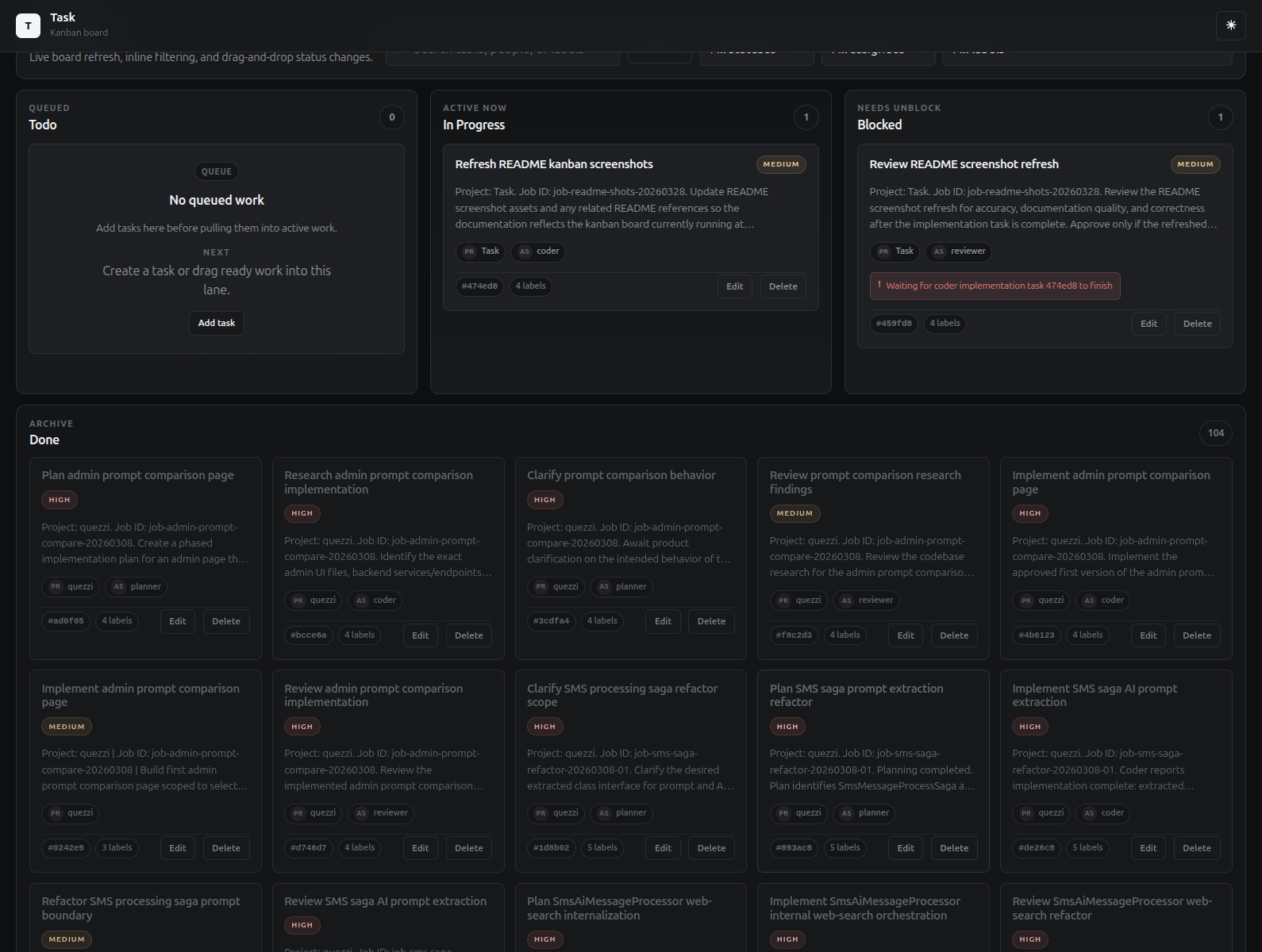
I wrote task to visualize agent and task management workflows. It's a CLI and API-backed system for managing work across people and AI agents. The kanban board automatically refreshes so you can see tasks and their status in real time at a quick glance.
Quick Installation
Using the Installer Script (Recommended)
The fastest way to install the Task CLI is with the one-line installer. Open a terminal and run the command for your platform:
macOS:
curl -fsSL https://jmkelly.github.io/task/installers/task-install-macos.sh | bash
Linux:
curl -fsSL https://jmkelly.github.io/task/installers/task-install-linux.sh | bash
Windows (PowerShell):
irm https://jmkelly.github.io/task/installers/task-install-windows.ps1 | iex
The installer automatically downloads the latest release for your platform and places the task binary in ~/.local/bin (macOS/Linux) or %LOCALAPPDATA%\Task\bin (Windows). After installation, open a new terminal and run task --help to verify.
to check its running and see the commands available run:
task --help
USAGE:
    task [OPTIONS] <COMMAND>

EXAMPLES:
    task add Buy groceries
    task add --title Refactor code --priority high --tags code,refactor
    task add --title Upload report --due-date 2024-04-01
    task add --title Team meeting --project work --status in_progress
    task add Buy groceries --priority high --assignee john.doe --tags errands --due-date 2026-03-01

OPTIONS:
    -h, --help       Prints help information
    -v, --version    Prints version information

COMMANDS:
    add               Create a new task with optional properties like priority, due date, tags, and project assignment
    list              Display tasks with advanced filtering by status, priority, assignee, project, tags, and due date
    edit <ids>        Modify existing task properties including title, description, priority, due date, and assignee
    delete            Permanently remove one or more tasks (supports bulk deletion with confirmation)
    complete          Mark tasks as completed (supports bulk completion)
    reset <id>        Reset a completed task back to pending status
    search <query>    Perform full-text or semantic similarity search across task titles and descriptions
    import            Import tasks from JSON or CSV files, merging with existing data
    start             Start the Task API server in the background
    status            Show Task API server status
    stop              Stop the Task API server
    config            Manage CLI configuration settings
    server            Manage the Task API server
    help              Show detailed help information
    telegram          Telegram integration and utilities
Getting Started
To start using task, the server first needs to be started.
task server start
Using with your AI harness / agents
Agents are very good at excuting bash cli commands. Turns out you don't need a lot to get them to use the task cli, and then you get your kanban board updates as they work.
Add to your agents.md:
## Task CLI
- Use `task` CLI for all task management. Run `task help` for guidance.
- Every task must include project and a consistent job_id tag for traceability.
- Use `--tags job-xyz123,role` format (e.g., `--tags job-abc123,coder`).
- Include explicit acceptance criteria in task descriptions.
- Update status as work progresses: `task update $TASK_ID --status in_progress`
- Pass TASK_ID into agent sessions.
For more agent configs, see my opencode config below
Resources
- Project: https://github.com/jmkelly/task
- Github Pages: https://jmkellygithub.io/task
- Sample Agent configs (mine): https://github.com/jmkelly/dotfiles/tree/main/.config/opencode/agents